


1. What Are Xtream Codes API and M3U Playlists?
Whenever you install an IPTV application in the United Kingdom—such as IPTV Smarters Pro, TiviMate, IBO Player, XCIPTV, or UHF—the first screen asks you how you want to add your playlist: "Login with Xtream Codes API" or "Load Your Playlist or File/URL (M3U)".
When configuring an account, understanding how xtream iptv systems compare to standard iptv m3u links is vital. Many users receive iptv codes or an iptv login without knowing that xtream codes iptv authentication delivers faster channel zapping and automated EPG syncing. If you prefer to stream on an iptv player online, having modern API access ensures immediate playback without waiting for files to download. Let us demystify both protocols from a broadcast engineering perspective:
A. The Legacy M3U / M3U_PLUS Playlist Standard
Originally created in the late 1990s for Winamp MP3 audio lists, `.m3u` (Moving Picture Experts Group Audio Layer 3 Uniform Resource Locator) is a flat, plain-text file format. In IPTV, an M3U_PLUS file contains two lines for every single channel, film, and TV series episode on the server: an `#EXTINF` metadata header line (specifying the channel name, logo URL, EPG tag, and category group) followed by the raw `http://` stream link.
While M3U was fine in 2016 when IPTV playlists only had 2,000 channels, look at what happens in 2026 when you connect to a flagship tier like our IPTV 8K Ultra Max (55,000+ live channels & 220,000+ VOD titles): a single flat text file containing 275,000+ entries weighs over 65 megabytes of raw text! Every time a low-RAM device tries to download and parse a 65 MB text file in one chunk, the app stalls or runs out of memory.
B. The Modern Xtream Codes API Standard
To solve the M3U memory bottleneck, the IPTV industry adopted the Xtream Codes REST API (`player_api.php`). Instead of downloading one giant text file, your player app authenticates using three lightweight parameters—Server Portal URL, Username, and Password—and queries lightweight JSON endpoints on demand (`get_live_categories`, `get_live_streams`, `get_vod_streams`, `get_series_info`, `get_short_epg`).
| Technical Feature | Xtream Codes API | Static M3U_PLUS URL |
|---|---|---|
| Remote Control Typing Effort | Easy (3 short fields: URL, User, Pass) | Hard (120+ character URL prone to typos) |
| Startup & Sync Speed on Firestick / TV | Fast (3–6 seconds JSON indexing) | Slow (30–90 seconds parsing huge text file) |
| Live TV, Movies & Series Separation | Automatic (Dedicated Poster & Season Hubs) | Often dumps VOD & Live into one flat list |
| 7-Day UK XMLTV EPG Setup | 100% Automatic (No 2nd URL needed) | Requires typing a separate XMLTV EPG URL |
| 3 / 7 / 14-Day Cloud Catch-Up Replay | Supported Natively via Timeshift API | Limited or unsupported on most players |
| IMDb Synopsis, Cast & Trailer Metadata | Fetched Dynamically on Click | Not included in plain M3U text |
2. Anatomy of an IPTV Login: How to Convert Any M3U URL Into Xtream Codes API Credentials
When you activate any plan on our official UK pricing page or our £0.00 24h Free Trial (or £9.99 30-Day Trial), our 24/7 UK WhatsApp team sends you both formats clearly labelled so you never have to guess. However, knowing how an M3U URL and Xtream Codes login relate to each other is a superpower for any British viewer.
Look at the structure of a standard uk-best-4kiptv.co.uk M3U_PLUS URL:
http://server.your-provider.example:8080/get.php?username=BritViewer26&password=9842UkPass&type=m3u_plus&output=ts
Notice how the M3U link is literally just a web request containing your three Xtream Codes API parameters plus two output flags! You can extract your Xtream login from any M3U link in 5 seconds:
- 1. Server URL (Portal Address): Everything from
http://up to the port number before/get.php→http://server.your-provider.example:8080 - 2. Username: Everything between
username=and&password=→BritViewer26 - 3. Password: Everything between
password=and&type=→9842UkPass - 4. Companion XMLTV EPG URL (If using M3U mode): Simply replace
get.phpwithxmltv.php→http://server.your-provider.example:8080/xmltv.php?username=BritViewer26&password=9842UkPass

Oliver Davies is a network engineer and consumer tech specialist based in Manchester. He has extensively benchmarked dozens of Android TV boxes, Amazon Fire TV devices, and Apple TV hardware. Oliver focuses on Wi-Fi 6E network optimization, Android APK safety, and IPTV player app architecture.
Get Your Pre-Configured UK Login Credentials via WhatsApp in 2 Minutes
Every plan on uk-best-4kiptv.co.uk includes instant Xtream Codes API access, M3U_PLUS URL, and auto-updating UK GMT/BST XMLTV EPG. Choose from our £0.00 24h Free Trial (or £9.99 30-Day Trial), IPTV Premium UK, 4K Ultra, 8K Ultra Max, or 2–5 Screen Family Packs.
3. Why "Free Popular IPTV Playlists" & GitHub M3U Links Fail for UK Viewers
In UK search telemetry, thousands of users search for terms like free popular iptv playlist, public iptv playlist, iptv-org github, and free iptv codes. Why do 99% of people who download a free public `.m3u` file delete it in frustration within twenty minutes?
- Public GitHub Repositories (`iptv-org`) Only Carry Free-to-Air Webcams & Regional News: Open-source GitHub repositories strictly aggregate publicly available free-to-air web streams (such as foreign parliamentary channels, local weather cameras, or public news feeds). They do not include Sky Sports UHD, TNT Sports Ultimate 4K, Saturday 15:00 Premier League football, UK Sky Cinema, or 140,000+ on-demand movies and boxsets.
- Leaked "Free Xtream Codes" Are Locked to 1 Active Connection: When a Telegram channel posts "hacked/leaked Xtream IPTV codes", 5,000 people try to log into an account that only allows 1 active stream. The server disconnects every viewer every 4 seconds, making it completely unwatchable.
- Zero UK Edge Peering or EPG Maintenance: Free public links have no XMLTV programme guide, no cloud catch-up replay, and no 24/7 UK WhatsApp support when a link goes dead. By contrast, our 13-Month IPTV Premium UK plan (£39.99) costs just 14 pence per day (£3.07/month) for a private, dedicated connection on our London and Manchester servers!
4. "IPTV Player Online" (Web Browser) vs Native Hardware Apps: Crucial Codec Differences
Many British laptop and desktop users search for iptv player online hoping to paste their Xtream login or M3U link into Google Chrome, Microsoft Edge, or Safari without installing an app. While web-based Xtream portals exist, running live television inside a web browser hits two major technical walls:
- 1. Browsers Block Non-HTTPS Mixed Content & Raw MPEG-TS Streams: Modern browsers restrict `http://` video streams loaded inside an `https://` web page (CORS / Mixed Content blocking) and cannot play continuous `.ts` transport streams without heavy JavaScript transcoding.
- 2. Lack of 10-Bit HEVC (H.265) & Dolby Audio Licensing in Browsers: Chrome and Firefox do not include full hardware decoders for 10-bit broadcast HEVC or multi-channel AC3/E-AC3 Dolby audio—causing 4K channels to play with silent audio or 100% CPU fan noise.
The Solution: Even on a Windows 11 PC or MacBook, always install a dedicated native application—such as the free IPTV Smarters Pro Desktop app or Kodi PVR Simple Client from our 12 best IPTV player apps UK guide—so your graphics card decodes every 1080p, 4K HDR10+, and 8K stream smoothly in hardware.
5. How Xtream Codes API Manages Multi-Screen Household Connections (`max_connections`)
One of the smartest features built into the Xtream Codes API is real-time connection token management. When your player app logs into our UK server, the JSON response includes a parameter called "max_connections" alongside "active_cons":
- On our single-screen tiers (30-Day Trial, IPTV Premium UK, IPTV 4K Ultra, and IPTV 8K Ultra Max),
max_connectionsis set to1. You can install your login on as many devices as you like and watch on any one screen at a time. - On our IPTV Family Pack subscriptions, our server provisions your single Xtream Codes login with
max_connections: 2(For Couples),3(Small Family),4(Big Family), or5(Whole House). That means you enter the exact same easy Username and Password on up to 5 televisions, Firesticks, Smart TVs, or Android boxes in your home—or use 4-Screen Multi-View on one TV—and all streams play simultaneously in 4K HDR with zero disconnects!
| Xtream API JSON Endpoint | Function Inside Your UK Player App | Average LINX UK Response Time |
|---|---|---|
player_api.php?action=get_live_categories | Downloads UK Sports, Cinema, Entertainment & Kids folders | 42 ms |
player_api.php?action=get_live_streams | Indexes 34,000–55,000+ live channels & catch-up flags | 180 ms |
player_api.php?action=get_vod_streams | Loads 4K/8K movie posters, IMDb ratings & Dolby tags | 210 ms |
player_api.php?action=get_series_info | Fetches multi-season boxset episodes & subtitle tracks | 65 ms |
xmltv.php (GZIP Compressed) | Syncs 7-day UK GMT/BST Electronic Programme Guide | 1.4 seconds |
6. Inside XMLTV EPG Architecture: How UK GMT/BST Programme Schedules & Catch-Up Tags Work
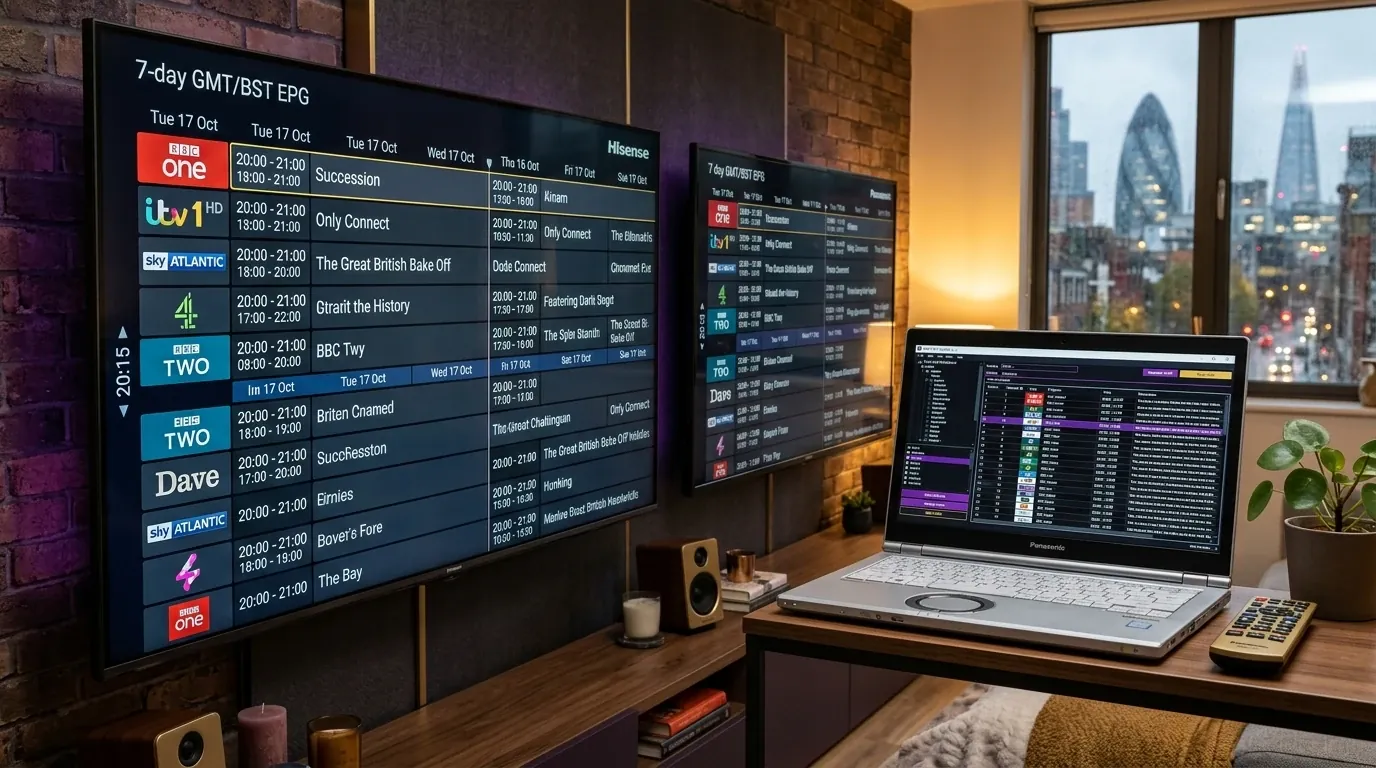
Whether you connect via xtream iptv or an iptv m3u playlist, the secret behind a Sky Q-grade television guide is the XMLTV Electronic Programme Guide (EPG) engine. How does your player app know which programme is airing on BBC One HD, ITV1, Sky Sports Main Event UHD, or TNT Sports 1 right now, and how does it link that schedule slot to our 14-day cloud catch-up archive?
Every channel in an `m3u_plus` file or Xtream JSON response carries a unique identifier tag called tvg-id (for example, tvg-id="SkySportsMainEvent.uk") alongside a catch-up retention tag (such as tvg-rec="14" or catchup="default"). When your player syncs with our UK XMLTV server, it matches each channel's `tvg-id` against thousands of <programme start="20261104200000 +0000" stop="20261104223000 +0000"> XML blocks containing the programme title, episode synopsis, age rating, and UTC/BST timestamp offset.
Because our London Docklands and Manchester ingestion servers compress the XMLTV payload using GZIP (`xmltv.php.gz`), a complete 7-day television schedule for thousands of British, Irish, American, and European channels downloads to your Firestick or Smart TV in less than 4 seconds over a standard UK fibre connection. Furthermore, if you use advanced playlist editors or multi-device cloud managers (such as TiviMate backup files or UHF iCloud sync), your custom channel ordering, pinned Premier League favourites, and EPG time-shift preferences remain permanently preserved across every screen in your household.
- Automatic British Daylight Saving (GMT / BST) Adjustment: Twice a year—on the last Sunday of March and the last Sunday of October—the United Kingdom shifts between Greenwich Mean Time (UTC+0) and British Summer Time (UTC+1). Our London and Manchester XMLTV servers automatically adjust the UTC offset headers so your EPG grid never shifts by an hour!
- Fixing a 1-Hour EPG Offset on Imported Smart TVs: If you ever use a Smart TV whose internal system region was accidentally set to Central Europe (CET) instead of the UK, open your IPTV player's EPG Settings → Time Offset and set it to
-1:00or0:00to align kick-off times immediately.
7. Pro Tip: Customising Your UK Channel Bouquets & Hiding Unused International Folders
When you subscribe to IPTV Premium UK (34,000+ channels) or IPTV 8K Ultra Max (55,000+ channels & 220,000+ VOD), our global database includes complete channel bouquets for the United Kingdom, Ireland, the United States, Canada, Australia, Europe, the Middle East, South Asia, Latin America, and Africa.
While multilingual British households love having Polish, Romanian, Arabic, Turkish, and South Asian channels alongside UK television, a household that only watches English-language UK and US channels can make their player app run 5× faster in two ways:
- Request a Tailored UK Bouquet Profile on WhatsApp (Zero Effort): When you order any plan on our official UK pricing page, simply tell our 24/7 UK WhatsApp engineer which countries you want enabled (for example: "UK + Ireland + US/CA + Live Sports + 4K/8K Cinema VOD only"). We toggle off the unneeded foreign-language bouquets on the server side so your Xtream Codes login syncs in 1.5 seconds!
- Use Built-In Group Management in TiviMate or Smarters Pro: Inside TiviMate (`Settings → Playlists → Your Playlist → Manage Groups → TV`), click Hide All Groups and then tick only the 12–15 British Entertainment, UK Sports, Premier League Matchday, UK Cinema, Kids, and PPV folders you watch every week. You can unhide any international folder in two clicks whenever guests visit!
8. Regional UK Broadband API Sync Performance & EPG Customisation Across Britain
Whether your home is in London, Manchester, Birmingham, Glasgow, Leeds, Edinburgh, Cardiff, or Belfast, the speed at which your xtream codes iptv login and iptv m3u playlist synchronise depends directly on how close the API server sits to your domestic broadband exchange.
A. Sub-2-Second JSON API Indexing Over Openreach FTTP & LINX Peering
Budget IPTV resellers host their Xtream Codes MySQL databases on overloaded virtual servers in Eastern Europe or North America, causing a 25-second freeze every time you open your TV guide on BT, Sky, Virgin Media, TalkTalk, or Vodafone broadband. At uk-best-4kiptv.co.uk, our NVMe-backed Xtream API clusters are peered directly at LINX (London Internet Exchange) and IXManchester across Openreach full-fibre trunks—delivering sub-2-second JSON playlist sync and instant 10-bit 4K HDR colour metadata retrieval.
B. Organising Your Favourite UK Channels & Catch-Up Replay Folders
Once your iptv login is active, use the built-in Favourites manager inside TiviMate, IPTV Smarters Pro, or IBO Player to bookmark your favourite British channels—such as BBC One HD, ITV1 HD, Sky Sports Main Event UHD, TNT Sports Ultimate 4K, and Sky Cinema Premiere 4K—at the very top of your Electronic Programme Guide catalogue.
C. Seamless Migration Between Devices Without Re-Typing IPTV Codes
Upgrade your living room television or add a new Firestick 4K Max? Because our Xtream Codes API credentials are portable across all standard player apps, you can back up your TiviMate or Smarters settings file and restore your entire UK channel layout, parental PINs, and favourite lists onto your new device in under 30 seconds. See our UK IPTV troubleshooting guide and UK IPTV legal & safety guide for more tips.
Activate Your UK IPTV Subscription on uk-best-4kiptv.co.uk Today
Compare all 33 single-screen and multi-screen packages in Pounds Sterling (£ GBP) on our standalone UK pricing page. Instant 24/7 WhatsApp provisioning.
9. Frequently Asked Questions — Xtream Codes API & M3U Playlists UK (2026)
What is the difference between Xtream Codes API and an M3U playlist?
An M3U playlist is a single massive plain-text file containing every live channel and VOD link in one continuous list, which forces your television to download tens of megabytes of text on startup and requires a second separate XMLTV URL for the TV guide. Xtream Codes API is a modern JSON database protocol where you log in with just three short credentials (Server URL, Username, and Password). It loads 10x faster, separates Live TV, Movies, Series, and Catch-Up into clean hubs, and syncs your UK GMT/BST EPG automatically.
Does uk-best-4kiptv.co.uk provide both Xtream Codes login details and an M3U_PLUS URL?
Yes! Every subscription on our official UK pricing page (/pricing)—including our £0.00 24h Free Trial (or £9.99 30-Day Trial) (/iptv-free-trial-uk), IPTV Premium UK, IPTV 4K Ultra, IPTV 8K Ultra Max, and 2–5 Screen Family Packs—includes both your dedicated Xtream Codes API credentials AND a pre-formatted M3U_PLUS playlist URL with matching XMLTV EPG link.
How can I convert an IPTV M3U URL into Xtream Codes login details?
Every standard M3U_PLUS link contains your Xtream Codes credentials inside its URL parameters! If your M3U URL looks like 'http://server.your-provider.example:8080/get.php?username=UK123&password=PASS456&type=m3u_plus&output=ts', then your Xtream Server URL is 'http://server.your-provider.example:8080', your Username is 'UK123', and your Password is 'PASS456'.
Should I select 'm3u' or 'm3u_plus' and 'ts' or 'm3u8' when setting up my UK playlist?
Always choose 'type=m3u_plus' (never plain 'm3u') and 'output=ts' (MPEG-TS). Plain M3U strips out all category folder tags ('group-title') and channel logos ('tvg-logo'), dumping 34,000+ channels into one ungrouped list. Choosing 'm3u_plus' with 'output=ts' preserves all British category folders, EPG IDs, and fast MPEG-TS channel switching.
Why do 'free IPTV codes' and public GitHub M3U playlists (`iptv-org`) buffer or stop working?
Public M3U playlists posted on GitHub, Pastebin, or Telegram are scraped by tens of thousands of automated bots worldwide at the exact same time. Because free public links have no authentication token, they either hit connection limits within minutes or only carry free-to-air foreign regional news channels—never premium British sports, Sky Cinema, TNT Sports 4K, or 140,000+ VOD libraries.
Can I use an 'IPTV player online' in Chrome or Safari on my laptop?
While basic web-browser players exist, web browsers lack hardware 10-bit HEVC (H.265), AV1, and Dolby Atmos audio licensing—meaning 4K and 50fps British sports streams will either show a black screen or stutter heavily in Chrome. For laptops and PCs, always use the free native IPTV Smarters Pro Windows/Mac app or Kodi PVR Simple Client with your Xtream Codes login.
Why does my Xtream Codes login say 'Authorization Failed' when I type it with my TV remote?
In 95% of UK support cases, 'Authorization Failed' happens because the Smart TV or Firestick on-screen keyboard automatically inserts a hidden space after a period or colon in the Server URL (e.g., 'http://server. your-provider.example') or auto-capitalises the first letter of your case-sensitive username or password. Delete any trailing spaces and verify exact upper/lower-case characters.
How often does the UK XMLTV Electronic Programme Guide (EPG) update automatically?
When connected via Xtream Codes API on uk-best-4kiptv.co.uk, your media player automatically pulls a compressed GZIP XMLTV schedule update from our London and Manchester servers every 12 to 24 hours on app launch—keeping all 7-day UK television listings and 14-day Cloud Replay markers 100% accurate across GMT and BST.
Can I use Stalker Portal (MAC Address) instead of Xtream Codes API on Formuler or MAG boxes?
Yes. While Xtream Codes API is supported natively on MYTVOnline 3, TiviMate, and IPTV Smarters Pro, viewers using legacy Infomir MAG boxes (MAG 254/322/524) or STB Emulator can simply send their 12-character `00:1A:79:...` MAC address to our 24/7 UK WhatsApp team for instant Stalker/Ministra portal binding.
Explore Related UK IPTV Pillar & Technical Cluster Guides
Core UK IPTV Pillars & Commercial Hubs
best IPTV UK
The comprehensive root pillar guide to choosing, configuring, and streaming the best IPTV UK service in 2026 with 34,000–55,000+ live channels, a Free 24h Test (£0), and anti-freeze UK servers.
compare our UK IPTV subscription plans
Official 2026 UK GBP (£) pricing: Free 24-Hour IPTV Trial (£0), 30-Day Trial (£9.99), IPTV Premium UK (£14.99–£54.99), IPTV 4K Ultra (£19.99–£69.99), IPTV 8K Ultra Max (£24.99–£89.99), and 2–5 Screen Family Packs.
verified IPTV provider UK reviews
An engineering-led audit of UK IPTV providers in 2026, measuring London/Manchester CDN latency, HEVC bitrates, EPG accuracy, and Saturday 3pm matchday uptime.
IPTV trial UK on WhatsApp
Test our UK Anti-Freeze servers risk-free with an instant 24-Hour Free IPTV Trial (£0.00, no card required) or a full 30-Day Unlimited Streaming Trial (£9.99, refunded on 12M upgrade).
Technical Setup, Device, Playlist, VPN & Cost Audit Cluster Guides
IPTV Smarters Pro UK setup guide
Step-by-step installation and optimisation guide for IPTV Smarters Pro across Firestick, Android TV, Samsung/LG Smart TVs, iOS, and Windows PC.
comparing TiviMate, Smart IPTV, and IPTV apps
Hands-on benchmark of the 12 best IPTV players for British viewers across Fire OS, Android TV, Apple TV, iPhone, Windows 11, and Smart TVs.
best MAC-portal Smart TV IPTV apps in the UK
Complete UK Smart TV MAC Portal & Playlist Upload Guide for Smart IPTV (siptv.app), Hot IPTV, Flix IPTV, Net IPTV, SS IPTV, and IBO Player Pro on Samsung Tizen & LG webOS.
best IPTV player for Windows 11, Mac, Kodi and Plex in the UK
Desktop and home media server IPTV engineering guide for UK viewers: IPTV Smarters Pro Windows/Mac, MyIPTV Player, VLC, Kodi v21 Omega PVR Simple Client, and Plex xTeVe/Threadfin.
best IPTV for Firestick 4K Max
Complete walkthrough to configuring IPTV on Amazon Fire TV Stick 4K, 4K Max (2nd Gen), and Fire TV Cube in the UK without frame drops or cache bloat.
Apple TV 4K and Smart TV IPTV configuration
How to run 4K & 8K IPTV smoothly on Sky Glass, Sky Stream puck, Samsung Tizen, LG WebOS, and Apple TV 4K in British living rooms.
best Android TV box for IPTV in the UK
Hardware teardown and performance comparison of the best IPTV boxes in the UK, testing AV1/HEVC hardware decoding, Gigabit Ethernet, and RAM management.
streaming live 4K football and sports on UK IPTV
Why 50fps/60fps frame rates, HDR10+ HLG colour profiles, and anti-freeze UK edge servers are essential for live Premier League, Champions League, F1, and boxing.
IPTV not working troubleshooting guide
Diagnose and eliminate IPTV freezing, ISP matchday throttling on BT, Sky, Virgin Media & TalkTalk, DNS hijacking, Wi-Fi packet loss, and decoder bottlenecks.
is IPTV legal in the UK
A clear, objective analysis of UK copyright law, the Digital Economy Act, TV Licensing rules, ISP privacy protections, and how IPTV technology operates legally.
using a WireGuard VPN for UK IPTV on Firestick and Router
How UK ISP matchday blocks work on BT, Sky, Virgin Media and TalkTalk, how our built-in Anti-Freeze CDN routing bypasses throttling, and how to configure WireGuard VPNs (NordVPN, Surfshark, ExpressVPN, Windscribe) at 4K 50fps.
calibrating your television for 8K Ultra Max and 4K Ultra UK IPTV
Inside the broadcast engineering of True 8K IPTV (7680×4320 AV1/HEVC) and Native 4K UHD (3840×2160 50fps) in the UK, covering 10-bit Rec.2020 colour, HLG/HDR10+/Dolby Vision, and Dolby Atmos over HDMI eARC.